DOWNLOAD E-AADHAAR CARD
Aadhar Card is a government ID card which contains 12 digits numbers that is unique for each Indian citizen .It has your personal details like name, date of birth, gender, address, a photo, along with biometric information such as fingerprints and iris (eye) scan. It is used to prove your identity in most of the places , exams or work .
E-Aadhar Card is the digital version of your Aadhar card . You can download it anytime anywhere from official government portal . It holds the same information and value as your physical downloaded Aadhar Card , because it is digitally signed by UIDAI.
In conclusion it is a pdf format or soft-copy of your Aadhar Card that you can carry anywhere and will be valid even if you don’t bring your physical card until specified .
THINGS YOU NEED TO DOWNLOAD AADHAR CARD :
- AADHAR NUMBER (UID) / VIRTUAL ID (VID) / ENROLMENT ID (EID)
- REGISTERED MOBILE NUMBER
(In case , your mobile number is not registered , visit an AADHAR SEVA KENDRA).
How to Download Aadhaar Card (E-Aadhaar)
- Go to the official Aadhaar website
– Open the UIDAI website (the government site for Aadhaar services).
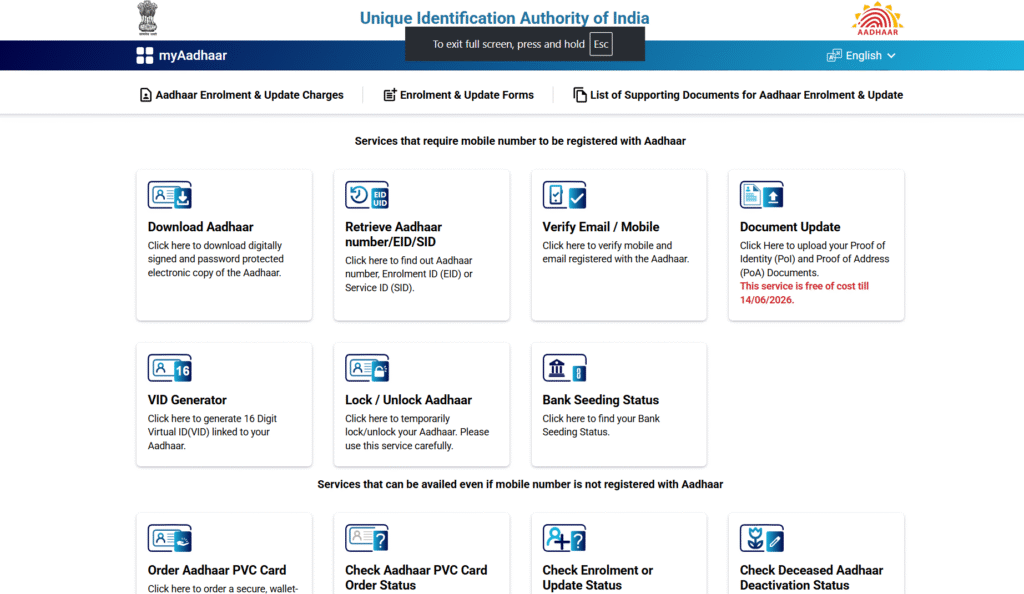
- Choose “Download Aadhaar” option
– You will see a service to download Aadhaar. Click on it. - Enter your details
– You can use any one of these:- Your Aadhaar number (12 digits), or
- Your Enrollment ID (given at the time of Aadhaar registration), or
- Your Virtual ID (VID).
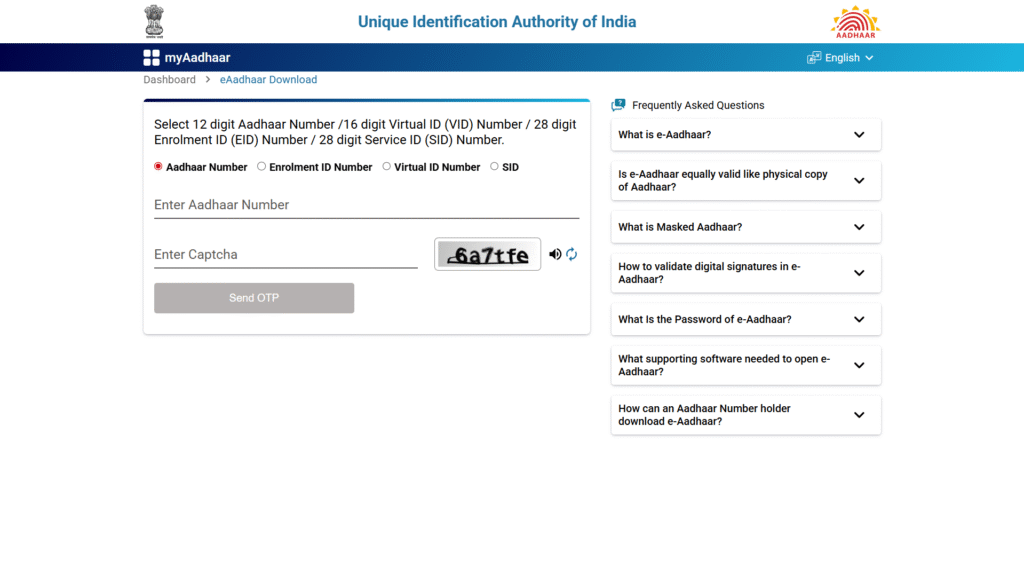
- Fill in other information
– Type your full name, PIN code, and the security code (captcha). - Receive OTP
– You will get a One-Time Password (OTP) on the mobile number linked to your Aadhaar. - Enter OTP to verify
– Write the OTP on the screen to confirm it’s you. - Download PDF
– Your Aadhaar card will now be available as a PDF file (this is the e-Aadhaar). - Open with password
– To open the file, you need a password.
– The password is a combination of the first 4 letters of your name (in capital letters) and your birth year.
– Example: If your name is Ravi Kumar and your birth year is 1995, then the password will be RAVI1995.
Other Ways to Download Aadhaar Card (E-Aadhaar)
- From UIDAI Website (Official Portal)
- Visit UIDAI website → Choose Download Aadhaar → Enter Aadhaar/Enrollment ID/VID → Verify with OTP → Download PDF.https://uidai.gov.in/
- Through mAadhaar Mobile App
- Install the official mAadhaar app → Login with your Aadhaar-linked mobile → Select Download Aadhaar→ Enter OTP → Save the digital Aadhaar in the app.https://play.google.com/store/apps/details?id=in.gov.uidai.mAadhaarPlus
- Using DigiLocker App/Website
- Open DigiLocker (govt. app/portal) → Sign in with your Aadhaar-linked number → Link Aadhaar → Aadhaar gets fetched from UIDAI and stored in DigiLocker → You can download it anytime.https://play.google.com/store/apps/details?id=com.digilocker.android
- Via UMANG App (Unified Mobile App for New Governance)
- Download UMANG app → Go to Aadhaar Services → Select Download Aadhaar → Enter Aadhaar/VID → Verify OTP → Download Aadhaar.https://play.google.com/store/apps/details?id=in.gov.umang.negd.g2c
- Through Aadhaar Enrollment/Update Centers
- Visit a nearby Aadhaar center → Request a reprint/download → They will provide a printout of Aadhaar after biometric/OTP verification.
- From CSC (Common Service Centers)
- Go to an authorized CSC → Ask for Aadhaar download/print → Operator will verify details → Give you a copy (may charge a small fee).
ORDER AADHAAR PVC CARD | HOW TO ORDER AADHAAR PVC CARD | HOW TO APPLY FOR AADHAAR PVC CARD
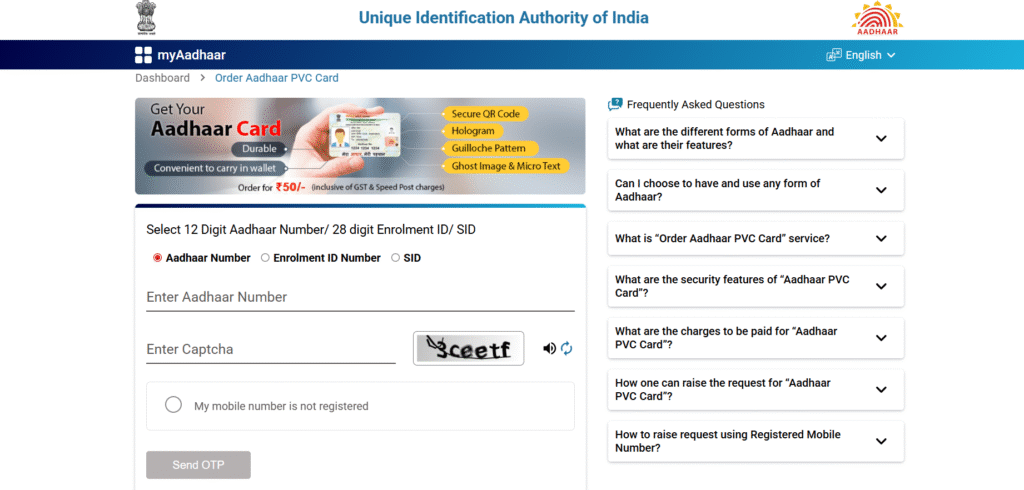
To order your Aadhaar PVC card click on the button below and it will take you to the official uidia website directly to page where you can order your aadhaar pvc card.
- After clicking on the button a new page will open up give you aadhaar number and fill the captcha.
- An OTP will sent to the register mobile number.
- Make the payment and you PVC card will deliver in few day (1-2 weeks).
NOTE:-
● Order Aadhaar PVC Card by paying Rs 50/-(inclusive of GST & Speed post charges).
Use your Aadhaar Number/EID to order Aadhaar card.
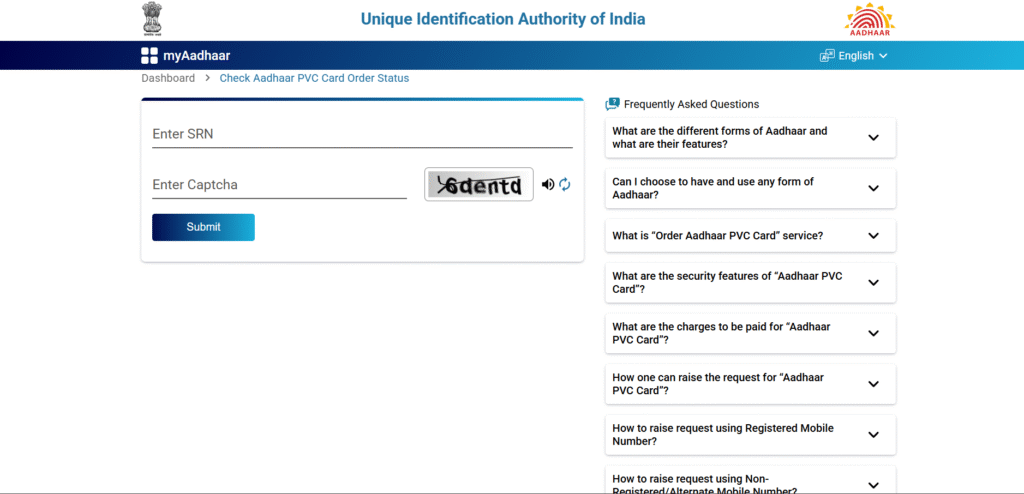
Check Aadhaar PVC Card Order Status | How to Check Aadhaar PVC Card Order Status
you can check your Aadhaar PVC Card Order Status online to check your Aadhaar PVC Card Order Status click on the button below.
- when you order your AADHAAR PVC CARD you will get your order tracking id or SRN number.
- Enter the SRN number and captcha you can track your order.
Aadhaar seva center | Aadhaar seva center near me | Locate Enrolment center | how to find aadhaar center
To find aadhaar center near you, you have for option :-
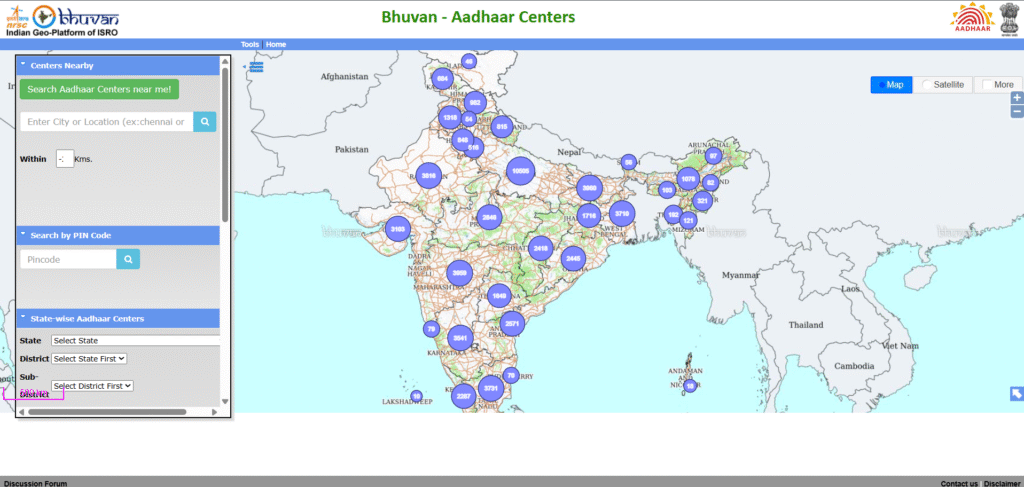
- CENTER NEAR BY :- by searching you city you will get the list of center in your location. You can also select range with-in how much kilometer you want to find center.
- SEARCH BY PIN COAD :- by entering your area pin code you can find aadhaar center available at that pin code or near that pin code.
- STATE-WISE AADHAAR CENTERS :- select your state then district and then sub-district.
- SEARCH BY AADHAAR CENTER :- you can also search aadhaar center name directly, you will the the detail of the aadhaar center.
BOOK AN APPOINMENT | BOOK AN APPOINMENT TO YOUR NEAREST AADHAAR CENTER
In order to enroll yourself or your family member for Aadhaar” or “To update any demographic detail (Name, Address, DOB, Gender, Mobile Number, and Email) or biometrics (Finger Prints/Photo/Iris) in your Aadhaar” you may visit an Aadhaar Seva Kendra. You may book an Online Appointment at an Aadhaar Seva Kendra here it will take you directly to the official website.
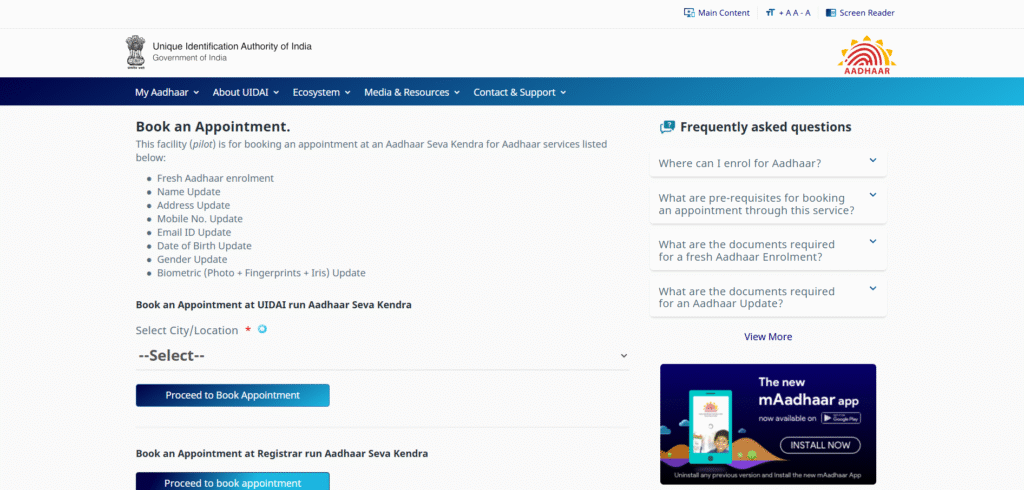
- select you city or nearby city shows.
- New page will open up where it ask which service you want select that enter your mobile number and captcha code then click on the generate otp.
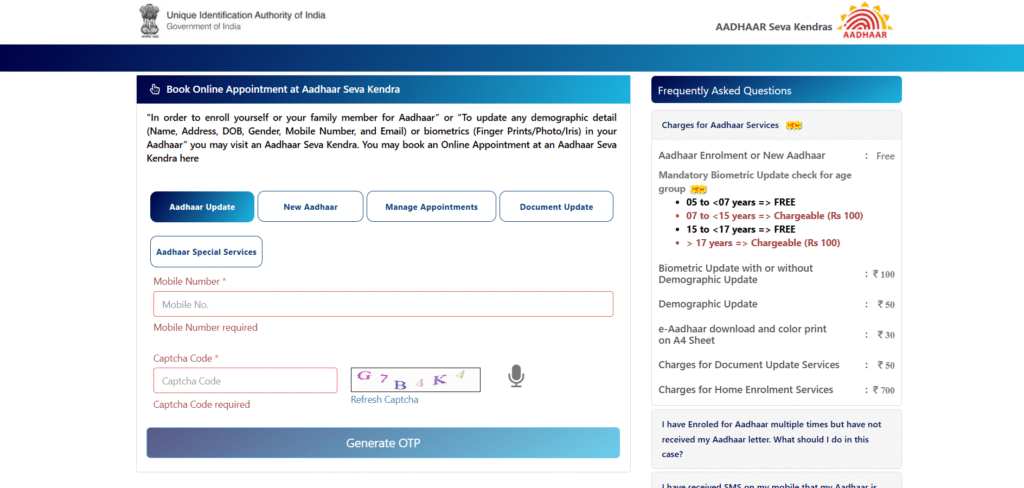
- Then new page will open where you can select date and time of appointment.
- An online receiving will generate print that before going to aadhaar center.
NOTE :-
1.Aadhaar Enrolment or New Aadhaar :- FREE
2. Mandatory Biometric Update check for age group :-
. 05 to <07 years => FREE
. 07 to <15 years => Chargeable (Rs 100)
. 15 to <17 years => FREE
. >17 years => Chargeable (Rs 100)
3. Biometric Update with or without Demographic Update :- ₹ 100
4. Demographic Update :- ₹ 50
5. e-Aadhaar download and color print on A4 Sheet :- ₹ 30
6. Charges for Document Update Services :- ₹50
7. Charges for Home Enrolment Services :- ₹ 700
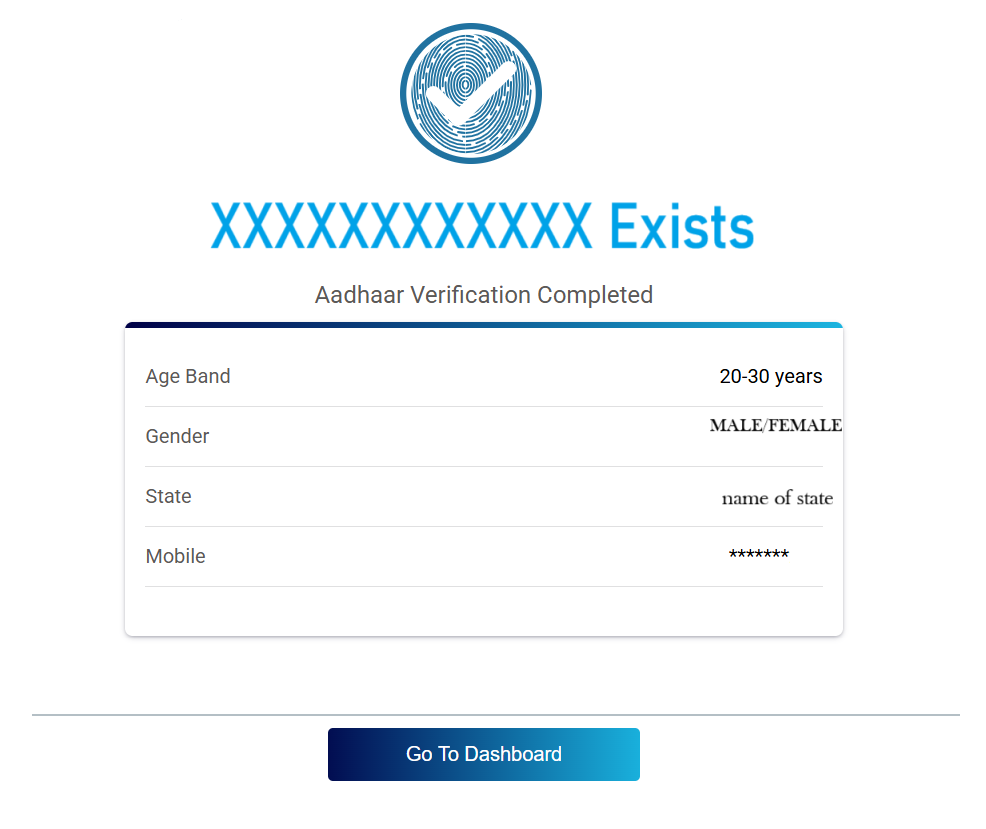
CHECK AADHAAR CARD VALADITY | HOW TO CHECK AADHAAR CARD IS REAL OR FAKE |
CHECK AADHAAR CARD VALADITY THAT THE AADHAAR IS REAL NOT FAKE CLICK ON THE BUTTON
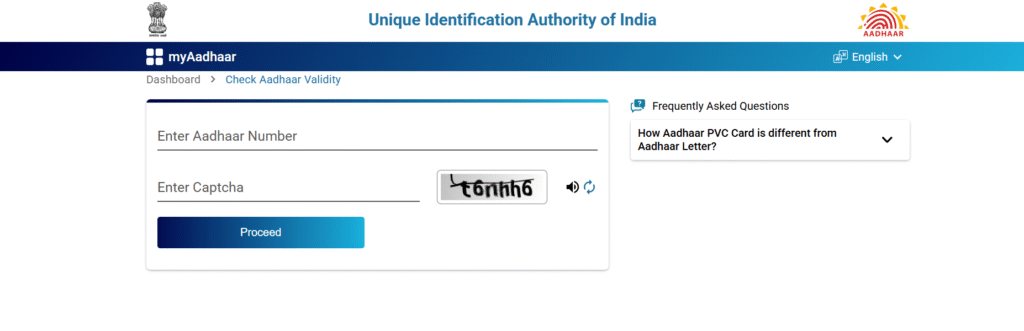
- ENTER THE AADHAAR NUMER AND THE CAPTCHA AND THEN CLICK ON THE PROCEED BUTTON.
- NEW PAGE WILL OPEN THAT WILL SHOW THE BASIC DETAIL OF THAT PERSON WHOSE AADHAAR NUMBER WAS ENTERED.