
Ayushman Card (Ayushman Bharat – Pradhan Mantri Jan Arogya Yojana Card) is a health card given under the government’s Ayushman Bharat scheme.
- It allows poor and needy families to get free medical treatment (up to ₹5 lakh per family per year) in approved hospitals.
- The card contains details like name, age, family number, and a unique ID given by the government.
- With this card, you can take treatment in government and empanelled private hospitals without paying money up to 5 lakhs rupees.
Prerequisites for Ayushman Card
To apply or download, you will need:
- Aadhaar Card
- Mobile number
- Ration Card or Family ID
- Residence proof
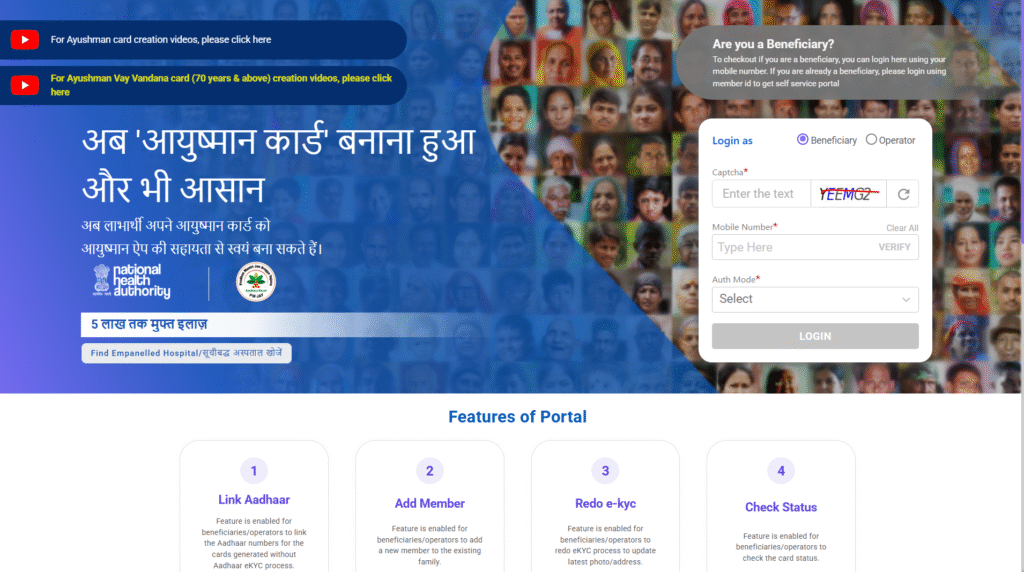
How to Apply for Ayushman Card :
- Check eligibility
– Visit the official Ayushman Bharat portal (https://pmjay.gov.in) → Enter mobile number/Aadhaar to see if your family is covered. - Apply online or at nearest center
– If eligible, you can apply:- Online at PM-JAY official portal, or
- At a nearby Common Service Center (CSC), or
- At an Ayushman Mitra desk in hospitals.
- Fill details & verify Aadhaar
– Enter family and personal details, verify with Aadhaar OTP or biometrics. - Upload/submit required documents
– Aadhaar, ration card, mobile number, photo, etc. - Get approval
– After verification, your application is approved. - Download Ayushman Card
– You will get a digital card (e-card) → Can be downloaded from portal or CSC → Print it for use.
Other Ways to Download Ayushman Card
- PM-JAY Website (https://pmjay.gov.in) → Login with Aadhaar → Download card.
- PMJAY Mobile App → Login → Download digital card.
- Common Service Centers (CSC) → Ask operator to print your card.
- Hospital Ayushman Mitra Desk → They can check and issue your card.